Learn to take a malware sample apart, from the first look to the final report. A self-paced video training for beginners, by a researcher with 10 years of this work for police forces, European agencies and private companies.
Windows internals, static and dynamic analysis, reverse engineering, debugging, unpacking, anti-debugging, code injection, scripts and macros, YARA rules and IOCs, cryptography and ransomware decryption.
€1,490, one payment, VAT included. The sale is not open yet. Section 00 is free with an account. Already registered? Sign in.
201video lessons
28hours of video
22labs solved on video
15mini-labs
Lifetime access. Pay once, no subscription.
Kept up to date. Lessons and labs are revised as tools and malware change.
Everything we add. New sections, lessons and labs land in your account at no extra cost.
A certificate anyone can check. In your name, once your final report is validated.
What you will be able to do.
By the end, you analyse a malware sample from end to end on your own, statically and dynamically. You read its assembly in Ghidra, step through it in x64dbg to recover the keys and passwords it holds in memory, and know the parts of Windows it relies on and the traces it leaves behind.
Tell what a sample is and what it can do before you run it, a program or a script hidden in a PDF or an Office macro
Make a sample obey a server you control instead of its operator’s, and trace where a stealer sends what it takes
Read a function in assembly and rewrite it in C
Unpack it, get past the checks it runs to catch your debugger, and find the payload that never touched the disk
Write the decryptor that gives a ransomware victim their files back
Hand over the indicators, YARA rules and report that let others find it on their own machines
A certificate with your name on it.
The training ends on a final challenge: a ransomware program has encrypted four files, and you get them back. The author grades your written report by hand; once it is validated, the certificate is yours.
Your name, the training and what it covers, signed by the instructor
A number and a QR code that open its public page on learn.sigreturn.com: an employer checks it in seconds
One click opens LinkedIn’s form to add it to your profile, already filled in, and a shared link shows a picture of it
A signed and timestamped PDF: change one character and the signature no longer holds
A specimen. Its QR code and its number lead to its public page.
Inside the lessons.
10.8 Inline functions, dead code and spaghetti4.8 Entropy, overlays and appended data6.6 Comparisons and jumps: turning branches back into if12.4 How a ransomware actually encrypts a disk12.9 Case study: a real ransomware, run in the lab12.10 Breaking Rhysida, time as a key17.2 Hands-on: A Ghidra script that decodes every hidden string
From the first lesson to your certificate.
At one section a week, about four months.
00 to 03Foundations5 h 48 min, three quizzes
04 to 05Analysis4 h 20 min, two quizzes
06 to 08Reverse engineering4 h 47 min, three quizzes
09 to 13Malware techniques9 h 30 min, five quizzes
14 to 15A whole case2 h 1 min, two quizzes
16 to 18Final challenge and closing1 h 48 min
ThenYour final reportGraded by hand by the author
At the endYour certificateIn your name, checkable online by anyone
Who it is for.
DFIR specialists, SOC analysts, investigators, system administrators, developers who read C, and students curious about malware. No experience in malware analysis or reverse engineering is needed: the training is for beginners and starts from the basics.
What you know
The basics of Windows and Linux, simple C and a command line. The training shows you the Python and assembly you need.
Your computer
Intel or AMD, running VirtualBox, with 16 GB of memory or more, four cores and about 60 GB of free disk. On a Mac, the lessons play, but the lab does not run on Apple silicon (M1 and later).
Practice in a malware analysis lab you build yourself.
Your lab VM
Section 01 builds your lab VM with the lab package, our builder: Windows 11 from Microsoft’s official image, every analysis tool and the practice files. You take a snapshot and go back to it after each analysis.
Labs with hints
28 hands-on videos, 22 labs solved on video and 15 mini-labs. Each lab solved on video gives three hints, opened one at a time, then the video that works through it.
The syllabus, every lesson in order.
Nineteen sections, in the order of a real analysis.
00Welcome, Free, 5 lessons, 18 min
0.0Start here: how this course works, 5:02
0.1What you will be able to do at the end, 4:09
0.2Who this course is for, prerequisites and setup, 2:02
0.3How the course is built: plan, lessons, labs, the lab VM, 3:26
0.4Safety and the law: read this before you download anything, 3:35
9.11Hands-on: Autopsy, one disk image from start to finish, 9:45
9.12LAB-09: Find and remove persistence, 12:43
Section quiz, 12 questions, 80% to pass. Passing it opens section 10., quiz
10Obfuscation and packing, 15 lessons, 1 h 59 min
10.1Why malware hides, and what it costs the attacker, 5:59
10.2Packing, the idea, and what it looks like from outside, 8:08
10.3UPX, packed and unpacked, side by side, 6:42
10.4Finding the original entry point by hand, 8:56
10.5Dumping and rebuilding the import table, 7:41
10.6Custom packers, code in a resource, code in a new section, 8:53
10.7Commercial protectors, what you are really up against, 6:22
10.8Inline functions, dead code and spaghetti, 9:42
10.9Dynamic API resolution by hash, 8:37
MINI-10A: Put every name back, On the page of lesson 10.9., mini-lab
10.10Anti-debug, IsDebuggerPresent, the PEB flag, timing, 10:37
10.11Exceptions as a trap, SEH and VEH, 6:32
10.12Anti-VM and anti-sandbox checks, and what still works in 2026, 10:37
MINI-10B: Find the checks, and change one answer, On the page of lesson 10.12., mini-lab
10.13LAB-10A: Unpack a packed sample and find its original entry point, 6:32
10.14LAB-10B: Get past three anti-debug checks, 6:55
10.15LAB-10C: Three packers, one method, 7:16
Section quiz, 12 questions, 80% to pass. Passing it opens section 11., quiz
11Code injection, 9 lessons, 1 h 11 min
11.1Stages, dropper, loader, payload, 5:57
11.2Classic DLL injection, seen from the debugger, 11:12
11.3Process hollowing, step by step, 10:02
11.4Hands-on: Catch a hollowed payload before it runs, 5:06
MINI-11B: Carve a program out of another one, On the page of lesson 11.4., mini-lab
11.5Shellcode, recognising it and running it safely, 8:43
MINI-11A: Read a second blob, then emulate it, On the page of lesson 11.5., mini-lab
11.6The API sequence that gives an injector away, 9:32
11.7Hooks and keyloggers, read from the code, 5:10
11.8Memory permissions, the RWX smell, 8:13
11.9LAB-11: Identify the injection technique from a memory trace, 7:25
Section quiz, 12 questions, 80% to pass. Passing it opens section 12., quiz
12Cryptography in malware, 11 lessons, 1 h 40 min
12.1Encoding, hashing, encrypting: three different things, 10:54
12.2Symmetric ciphers you will meet: XOR, RC4, AES, 11:38
12.3Asymmetric encryption, and why ransomware needs it, 7:57
12.4How a ransomware actually encrypts a disk, 10:49
12.5Where the key lives, and why it is usually gone, 5:12
MINI-12A: Catch a key before it is gone, On the page of lesson 12.5., mini-lab
12.6Spotting crypto in a binary: constants, S-boxes, loops, 9:08
12.7When the implementation is broken: real recovery cases, 9:32
12.8LAB-12: Identify a cipher from its code, and rebuild it, 6:50
12.9Case study: a real ransomware, run in the lab, 13:15
12.10Breaking Rhysida, time as a key, 9:12
12.11Rhysida's files back, with the decrypter from the paper, 5:54
Section quiz, 12 questions, 80% to pass. Passing it opens section 13., quiz
13Scripts and .NET, 20 lessons, 2 h 40 min
13.1Why so much malware is not a PE at all, 6:29
13.2Office macros, and extracting them without opening the document, 12:27
13.3Obfuscated PowerShell, layer by layer, 10:11
13.4LOLBins, living off the land, 7:41
13.5HTML smuggling, disk images, shortcuts, notebooks, 9:05
MINI-13A: Open a disc image without mounting it, On the page of lesson 13.5., mini-lab
13.6Malicious PDF files, object by object, 5:40
13.7Hands-on: Take a PDF apart with pdfid and pdf-parser, 6:32
13.8RTF files, and the shellcode inside them, 8:47
13.9Obfuscated JavaScript, and suspicious web pages, 9:51
13.10Hands-on: Peel a JScript dropper without running it, 6:55
13.11ClickFix and the copy-paste infection, 6:35
MINI-13B: Rebuild a copy-paste infection from its traces, On the page of lesson 13.11., mini-lab
13.12Hands-on: ILSpy and dnSpy, 9:57
13.13.NET malware with dnSpy and ILSpy, 10:53
13.14Fileless, PowerShell, the registry, and Assembly.Load, 10:54
13.15Go and Rust, why your tools suddenly stop helping, 8:57
MINI-13C: Find the author's code in a Go program, On the page of lesson 13.15., mini-lab
13.16Hands-on: oletools and Python on a macro document, 7:55
13.17Hands-on: oledump, stream by stream, 3:22
13.18LAB-13: Extract and de-obfuscate a macro payload, 6:00
13.19LAB-13B: From a PDF to the script it hides, 6:16
13.20LAB-13C: Find the payload that never touched the disk, 5:10
Section quiz, 12 questions, 80% to pass. Passing it opens section 14., quiz
14Case study: a stealer, 6 lessons, 45 min
14.1What a stealer takes, and how it is delivered, 8:55
14.2Finding the modules, and reading only what matters, 6:46
14.3Following the credentials to the exfiltration call, 7:37
14.4Reading an "encrypted" webhook with one breakpoint, 7:21
14.5The same sample under Procmon and Wireshark, 8:41
14.6LAB-14: Recover the exfiltration endpoint, 5:36
Section quiz, 12 questions, 80% to pass. Passing it opens section 15., quiz
15ATT&CK, IOCs and the report, 8 lessons, 1 h 16 min
15.1The attack lifecycle, end to end, 15:21
15.2Exfiltration channels that look legitimate, 10:11
15.3Mapping what you found onto MITRE ATT&CK, 7:23
MINI-15A: Map a sample you know onto ATT&CK, On the page of lesson 15.3., mini-lab
15.4Extracting indicators that are worth keeping, 9:48
15.5Turning indicators into YARA rules that survive, 7:34
15.6Sharing: MISP, STIX, and who you are really telling, 7:15
15.7Evidence: integrity, chain of custody, and the mistakes that cost cases, 9:21
15.8Writing the report someone will actually read, 9:02
MINI-15B: Write the report of LAB-14, On the page of lesson 15.8., mini-lab
Section quiz, 12 questions, 80% to pass. Passing it opens section 16., quiz
16The final challenge, 7 lessons, 52 min
16.1The scenario, four encrypted files and one screenshot, 5:39
16.2Rules of engagement for the challenge, 4:38
LAB-16: The final challenge, get the four files back, On the page of lesson 16.2. Solved on video in walkthroughs 16.3 to 16.6, once your report is validated., lab
16.3Walkthrough 1, triage and finding the encryption routine, Opens once your report is validated., 10:42
16.4Walkthrough 2, recovering the key from the screenshot, Opens once your report is validated., 7:25
16.5Walkthrough 3, why running the encryptor again destroys a file, Opens once your report is validated., 12:30
16.6Walkthrough 4, writing your own decryptor, Opens once your report is validated., 7:01
16.7The tournament, how it works, 3:57
17Going further, 5 lessons, 44 min
17.1Hands-on: A configuration extractor in Python, 8:47
17.2Hands-on: A Ghidra script that decodes every hidden string, 9:48
17.3Hands-on: Emulate a whole program with Speakeasy, 7:54
17.4Hands-on: A second emulator, Qiling, 8:44
17.5Hands-on: A first look at Frida, 8:35
MINI-17A: Adapt the tools to a new sample, On the page of lesson 17.5., mini-lab
18Closing, 3 lessons, 12 min
18.1What to analyse next, and where to get safe samples, 5:37
18.2Building a practice routine that sticks, 4:22
18.3Thank you, and where to find me, 1:39
Curriculum as of 12 Nov 2026.
Who teaches it.
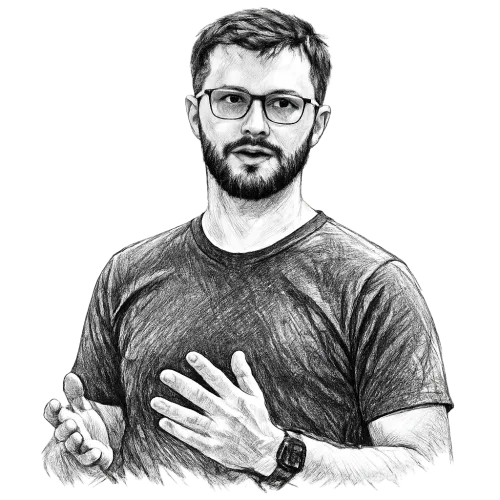
Adam Taguirov, founder and security researcher at Sigreturn Labs: 10 years of malware analysis and vulnerability research. Every lesson was written by him, and he answers the questions.
He worked at Europol, the French Judicial Police, Quarkslab and Orange Cyberdefense.
He has taught malware analysis at the OFAC International Ransomware Training Session and in Pretoria, under France’s cooperation with South Africa, and lawful decryption to trainers for CEPOL.
Section 12 ends on his own published work, the decryption of Rhysida ransomware: the paper and the walkthrough.
Lifetime access, with every update and every section added later
All lessons, labs, quizzes and exercise sheets
Questions answered under each lesson
Final challenge and certificate
14-day money-back guarantee. The full price back if you ask within 14 days of the purchase, provided that less than 10% of the paid videos have been watched and that no answer sheet and no lab package has been downloaded.
How these conditions are counted
The 10% is counted in seconds of video delivered to your account. An answer sheet is the written correction that comes with some exercises, the 15 mini-labs among them, downloaded as a PDF from the lesson’s page; exercise sheets do not count. The lab package is the builder you download in section 01 to build your lab VM. While the guarantee runs, the platform asks you to tick a box before either download. Full conditions in the terms of sale.
Questions.
When does the sale open?
The date is not announced yet. Join the waitlist and you get one email the day it opens. An account on the platform does not get that email.
How does the training work?
Lessons open one after another: watching one to 90% opens the next. Sections 01 to 15 each end with a quiz, 80% to pass, and passing it opens the section after it. Within a video you cannot jump ahead of the furthest point you have watched, and the final report opens once every quiz and every lesson is done, but for the four walkthroughs of the final challenge, which open after it. The author grades the report by hand: if it needs more work, you get his comments and hand it in again. The four walkthrough videos of the challenge, 16.3 to 16.6, open once it is validated. An optional tournament adds a personal score and a badge, with no ranking, and is not needed for the certificate.
Is the certificate an official qualification?
No. It is Sigreturn Labs’ certificate of completion: it attests that you completed the training and that your final report was validated, and it is not a state-recognised diploma. A certificate obtained with a report that is not your own work can be revoked.
How long do I keep access?
For as long as Sigreturn Labs offers the training. If it ever stopped offering it, you would be told at least three months in advance. See the terms of sale.
Where and how do I watch it?
In a recent Chrome, Edge, Firefox or Safari, on a computer, tablet or phone, on up to three devices, one video at a time. A new device is approved through a link sent by email, and the paid lessons need two-factor authentication: an authenticator app or a passkey. The videos are in English, with English subtitles burnt into the picture; they stream only, and each copy is marked for the account that watches it. Exercise sheets are downloadable PDFs.
Do I need to buy software?
No. The lab package installs Windows 11 Pro from Microsoft’s official image without activating it: the lab VM stays off the internet while you analyse samples, and for that work an unactivated Windows behaves the same. You need no Windows licence, but if you want it activated, buy a Windows 11 Pro licence and give its key to the builder; we do not sell one. You do not need IDA Pro either: the training works in Ghidra and x64dbg, both free, and if you prefer IDA Pro or another debugger, what you learn still applies.
Do I handle real malware?
No. Every sample you handle was written for the training and is harmless. Real malware appears only in the videos, run in our own isolated lab.
How do I pay, and do I get an invoice?
By card, on a payment page hosted by Stripe. The invoice is sent to you by email at purchase. Buying for a company? Enter its name and VAT number at checkout: both appear on the invoice, and a company in another EU country pays no VAT, under the reverse charge, at the same price of €1,490.
Can my company buy it as training for a team?
Yes, with one account per person: an account may not be shared. For several people, write to contact@sigreturn.com: we invoice your company and open the training for each person.
Start with section 00.
The welcome section is free to watch with an account. The rest opens with the purchase, once the sale opens.

 Sigreturn Labs
Contact